Choose Squash, Rebase or Merge Commit in Azure Repos according to the Git history your team should later be able to read and review. If you want a concise target history, Squash is often a good fit; if you want integration points to remain visible, Merge Commit is usually better; and Rebase mainly makes sense where a linear history is genuinely helpful for your team.
In Azure Repos, this choice is not about the content of a pull request, but about its footprint in the target branch. A linear history shows changes without branching; in plain terms, this means a sequence of commits with no visible merge.
Three points are usually decisive:
- How easy will the change be to understand later?
- How visible should the point of integration remain?
- Which rules apply in your branch policies?
That is why the decision is rarely just a matter of taste. In teams using Azure Repos and Azure Pipelines, the merge strategy should fit the review process, troubleshooting and traceability.
Which merge types Azure Repos offers when completing a pull request
Azure Repos lets you choose the merge strategy when a pull request is completed. This decision does not determine the content of the change, but above all how the history in the target branch will look afterwards.
For this comparison, three terms matter in Azure Repos:
- Squash: All changes from the pull request are applied to the target branch as a single commit; the individual commits from the source branch are no longer visible there separately afterwards.
- Rebase: The commits from the source branch are replayed onto the target branch so that a linear history can be created without an additional merge commit.
- Merge Commit: The branch structure remains visible in the history because a dedicated merge commit marks the point at which the branches were brought together.
For teams, this is usually not a question of right or wrong. More often, it is about a shared convention: how should the history read, how do you document releases, and how do you want to jump back to the integration later during an incident or bug investigation?
An important distinction is this: choosing the merge type controls the shape of the history. In Azure Repos, branch policies determine whether a pull request may be completed at all.
These policies include, among other things, the minimum number of reviewers, linked work items, comment resolution, build validation, status checks, automatically included reviewers and Limit merge types. According to Microsoft Learn in the overview pages on branch policies and the detailed branch policy pages, both accessed on 01/11/2026, these settings are turned off by default.
If you would like to walk through the pull request process in practice first, our article on creating a pull request in Azure DevOps is also a good fit.
What Squash, Rebase and Merge Commit each do to your history
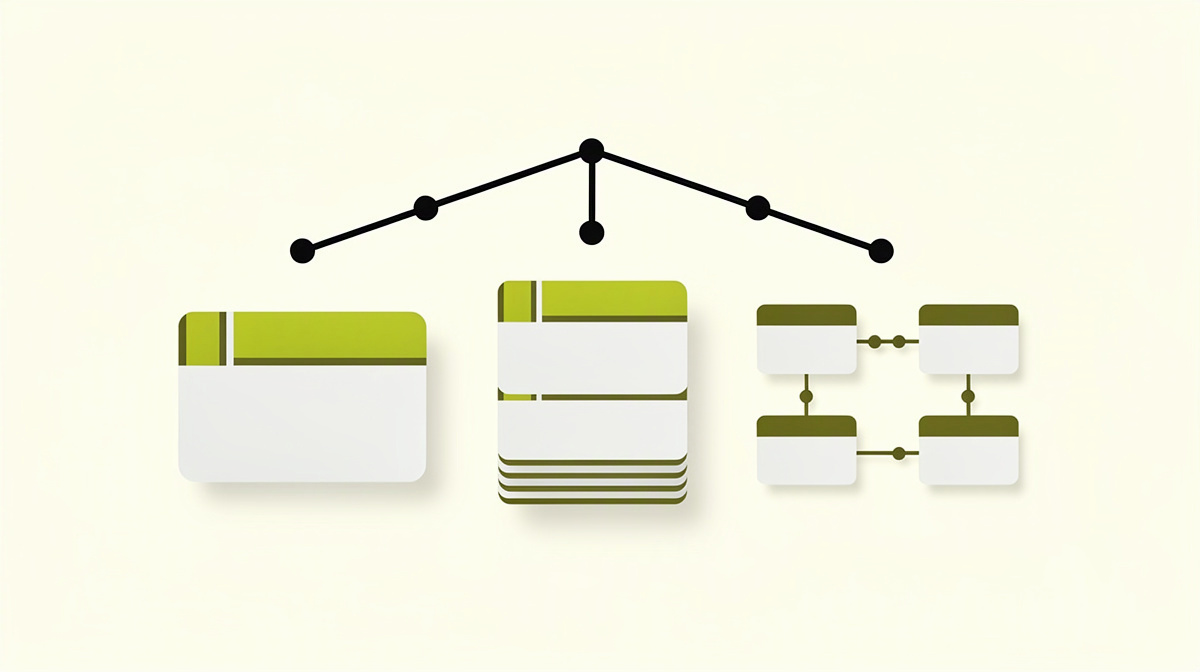
Squash condenses a pull request into exactly one commit in the target branch. This often makes the main line easy to read, especially when a feature branch contains many small intermediate states, correction commits or split-up work steps. For teams that read their target history more as an overview of completed changes, this is often helpful.
The downside is that the exact sequence of work in the source branch is no longer visible in the target branch afterwards. What you see there is mainly the end result, not every individual intermediate step. On the page about governing history, Microsoft describes “Limit merge types” as a setting for history, not as a direct security control; accessed on 01/11/2026. On that same page, Microsoft also notes that Squash tidies up the target history but combines the source commits. If your audit model depends on the exact sequence of commits, Microsoft recommends merge-commit strategies rather than Squash there.
Rebase often makes the history of the target branch appear more linear. That can be easier for readers if they want to follow commit by commit how a change came about. The branch is replayed so that the commits appear as though they were created directly on top of the current state of the target branch.
However, this comes with an important Git principle: rebasing rewrites commits. That is not automatically a problem, but the team should understand it. Especially with shared branches, it can otherwise create more confusion than clarity.
Merge Commit explicitly shows that one branch was merged into another. This keeps the integration point visible in the commit structure. For tech leads, this is often useful when release or incident analysis follows those integration points. Teams that mainly want the straightest possible main line often read the same history differently.
If you want to make reviews more consistent across the team, a clear PR checklist often helps as well.
Audit and traceability considerations: what to think about before deciding
For audit and traceability, what matters is not only how tidy the history looks, but which chain you can actually reconstruct later. This means the connection between work item, pull request, review, build, status and merge into the target branch.
That is precisely why you should not define the merge strategy in isolation. What matters is which information your team needs to be able to find again when questions arise, incidents occur or system behaviour changes. A linear history can be pleasant to read. But for robust traceability, the form of the history and the commit structure alone are usually not enough.
Before deciding, it helps to clarify three questions briefly:
- Must the point of integration remain clearly recognisable in the target branch?
- Is linking via pull request, work item and build enough for you?
- Will internal or external auditors later need the exact sequence of commits?
In “Secure Azure Repos and Git branch policies” and “Branch policies overview”, accessed on 01/11/2026, Microsoft points to branch policies such as linked work items, comment resolution, build validation, status checks and reviewer rules. These signals often contribute more to traceability than the question of whether the history looks more compact or more integration-oriented.
Another important distinction is this: “Limit merge types” controls the permitted completion methods, not proof that a change was reviewed properly in business terms or validated cleanly from a technical perspective.
As soon as DORA, NIS2, data protection or works council co-determination come into play, logs, retention and the possible evaluability of work processes also become relevant. You should review that for your situation with a lawyer and with your data protection officer.
Using “Limit merge types” effectively as a branch policy in Azure Repos

With “Limit merge types”, you restrict the permitted ways of completing a pull request per target branch in Azure Repos. This sets a team rule for the shape of the Git history, not for review depth, test coverage or release quality.
Important for context: in “Secure Azure Repos and Git branch policies”, accessed on 01/11/2026, Microsoft describes this option as a setting for governing history and not as a direct security control. Whether a pull request has been reviewed sufficiently from both a business and a technical perspective is safeguarded by other branch policies.
In practice, this means: use “Limit merge types” only together with the other rules for your target branch. Which branch policies Azure Repos offers at all, and that they are turned off by default, is stated in “Branch policies overview” and “Branch policies”, both accessed on 01/11/2026.
This policy is particularly useful when your team keeps getting stuck at the same points:
- inconsistent history within the same branch,
- discussions only when completing the pull request,
- exceptions without a clear reason,
- uncertainty about which form of history should apply to which branch.
A simple guideline often helps more than many special cases: define for each branch which history you want to read there, and allow only the merge types that fit it.
If you later want to enforce such rules technically or align them across many repositories, Microsoft Learn says policies can also be managed administratively. But for the team decision, the more important question remains: which history should be created deliberately in this particular branch?
Frequently asked questions about choosing a merge strategy
Must the merge strategy be the same in all projects?
No. A shared baseline makes sense, but the same rule is not required in every repository. A team with many hotfixes often reads history differently from a team with longer-lived feature branches.
In practice, a short decision per branch type usually works well:
- Main branch: clear, durably understandable history
- Release branches: recognisable transition points for maintenance
- Short-lived working branches: minimal day-to-day friction
That keeps the rule simple without mixing different purposes.
What role does history play in troubleshooting and rollback?
Several teams underestimate how much later work depends on how a merge remains visible in the target branch. If, during an incident, you first look for the integration point, a different merge type is often helpful than if you mainly want to read completed changes in a compact form.
The same applies to rollback: Git history and business rollback are not the same thing. A clean history makes things easier to understand, but it does not replace a clear release and deployment practice.
Is Squash always the obvious choice for small changes?
Not necessarily. Small changes often benefit from Squash, but size alone says little. More important is whether the individual commits should still matter later, for example for technical analysis or internal traceability.
So ask instead:
- Are the intermediate commits just work-in-progress states?
- Should the exact sequence remain visible?
- Does your team read pull requests more often, or commit history?
How often should the team rule on merge strategy be reviewed?
Not after every discussion, but not never either. A good time is when your way of working, release model or review process has changed noticeably. Then it is worth briefly checking the convention in your internal documentation.
What should you check first with new automations?
First check the boundary between support and decision-making. What matters is whether something merely provides guidance or whether your existing rules in Azure Repos remain authoritative.
If you are following developments in this area, Polier may also be relevant at the end: the product from ballmüller solutions, Berlin, is in development as of 01/11/2026 and is not yet available.
Next step
Do not make the decision as an abstract Git comparison, but against a real target branch. Take a typical pull request from your day-to-day work and check which questions you would still want to be able to answer six months later.
These review questions are especially helpful:
- Should the branch show mainly the result, or should the integration also remain visible?
- Do you read the history more for root cause analysis, handovers or releases?
- Which trail does your team actually need to be able to reconstruct when questions arise?
That turns a style question into an operational decision.
If you are following developments around Azure DevOps Services, Polier may also be relevant: the product from ballmüller solutions, Berlin, is in development as of 01/11/2026 and is not yet available.